Free Online Passport Photo Maker
Create a properly sized passport or visa photo from your phone or computer. Upload your photo, position it using document-specific guides, and download your digital photo plus printable 4×6 sheet for free.
Make My Passport Photo- Free
- No account
- No subscription
- Digital photo + printable 4×6 sheet
All Free Tools
Every PassportSelf tool is free to use — no account, no subscription, no watermarks.
Documents
Moving & Home
How PassportSelf Works
1. Choose your document
Select the passport, visa or immigration photo you need.
2. Upload your photo
Take a photo on your phone or upload an existing image.
3. Position your photo
Use the document-specific head-position and cropping guides.
4. Preview your files
See your digital passport photo and printable 4×6 sheet.
5. Download your files
Download both files immediately, free of charge.
See How PassportSelf Works
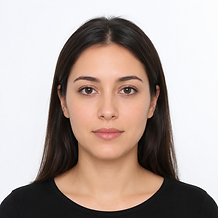
The portrait below is an example photo used for demonstration only — it is not a customer photo.

Original Photo
Position & Crop
2×2 Passport Photo

4×6 Print Sheet
Passport Photo Tools & Guides
2×2 Passport Photo Maker
Crop any photo to an exact 2×2 passport format.
4×6 Passport Photo Sheet
Multiple 2×2 copies on one printable 4×6 image.
Passport Photo at Home
Step-by-step: background, lighting, camera, upload.
U.S. Passport Photo
Official size, background and head-position rules.
Passport Photos Near Me
Skip the store — make your photo online instead.
OCI Photo & Signature
Resize OCI photo and signature under 500 KB.
Signature Maker
Sign on screen and download a JPG signature.
What is PassportSelf?
PassportSelf is a free online passport and visa photo formatting tool. It helps you crop, size and position a photo you take yourself so it matches the published photo requirements for your document — then gives you a digital photo and a printable 4×6 sheet with multiple copies. PassportSelf never uses AI to change your appearance and processes your photo on your device whenever possible. Learn more in our passport photo guides or read about PassportSelf.
Skip the trip to the photo store
Your download includes:
- Digital photo
- 4×6 printable sheet
- Multiple print copies
- Immediate download
No account. No subscription.
Privacy first
Your photo is processed on your device whenever possible. We don't send your photo to AI services, use it for training, or include it in analytics.
Photo requirements by document
Formatted to the published photo dimensions for your selected document. Final acceptance is determined by the issuing government agency.
OCI Photo & Signature
India · 51×51 mm
U.S. Passport — Paper Application
United States · 51×51 mm
U.S. Visa
United States · 51×51 mm
U.S. Immigrant Visa — Printed Photo
United States · 51×51 mm
Diversity Visa Photo
United States · 51×51 mm
U.S. Passport-Style 2×2 Photo
United States · 51×51 mm
Canadian Passport
Canada · 50×70 mm
UK Passport
United Kingdom · 35×45 mm
Looking for how-tos? Browse the passport photo guides — including how to take a passport photo at home and how to print passport photos.
Need a Signature File Too?
Sign directly on your phone and download a JPG signature file under 500 KB.
Everything the Passport Photo Maker Covers
Make a Passport Photo From Your Phone
A modern smartphone camera is more than good enough for a passport photo. Take a front-facing photo against a plain light wall, upload it, and PassportSelf handles the exact sizing and positioning.
Create a 2×2 Passport Photo
The 2×2-inch format is the U.S. standard for passports, visas and many immigration forms. PassportSelf crops your photo to an exact 2×2 square with your head sized and positioned to the document's rules.
Get a Printable 4×6 Sheet
Along with the digital photo, you get a 4×6 image containing multiple 2×2 copies with cutting guides — it prints as an ordinary, inexpensive 4×6 photo at home or at any photo counter.
U.S. Passport Photo Requirements
A printed U.S. passport photo must be 2 × 2 inches with the head measuring 1–1⅜ inches, a plain white or off-white background, and a neutral expression. PassportSelf shows these rules as on-screen guides.
OCI Photo & Signature Files
India OCI applications need a square JPG photo and a signature JPG, each under 500 KB. PassportSelf crops, resizes and compresses both files to the configured limits — or sign on screen with the Signature Maker.
Resize your OCI photo and signature · Create a signature JPG
Background and Size Rules
Most rejected photos fail on background or sizing. Our reference guides cover the accepted background colors and every common photo dimension in inches, millimeters and pixels.
Passport photo background requirements · Passport photo size guide
Frequently Asked Questions
Is PassportSelf free?
Yes. PassportSelf's currently available online tools are free to use, including the passport photo maker, the digital photo and the printable 4×6 sheet.
Do I need an account?
No account is required for the current tools. You can create and download your files without signing up.
Is there a subscription?
No. PassportSelf does not require a subscription to use its current free tools.
Is an online passport photo accepted?
Yes, when it meets the published requirements. Agencies define technical rules for the photo — size, background, head position — not where or how it was made. Final acceptance is always decided by the issuing agency.
Can I get a digital passport photo for online applications?
Yes. For supported documents you download a digital photo at the required pixel dimensions, suitable for online passport renewal and visa applications.
Do you use AI to edit my photo?
No. PassportSelf only crops, sizes and positions your photo. It never uses generative AI, retouching or background replacement — altering a passport photo can cause rejection.
Which documents are supported?
U.S. passports, U.S. visas, and several immigration photo formats — the full list with each document's requirements is shown above. Other documents get guidance-only support.
More questions? Visit the full FAQ.
Searching for Passport Photos Near You?
You don't necessarily have to visit a photo store. PassportSelf lets you create your passport photo online from home and download a printable 4×6 sheet for free.